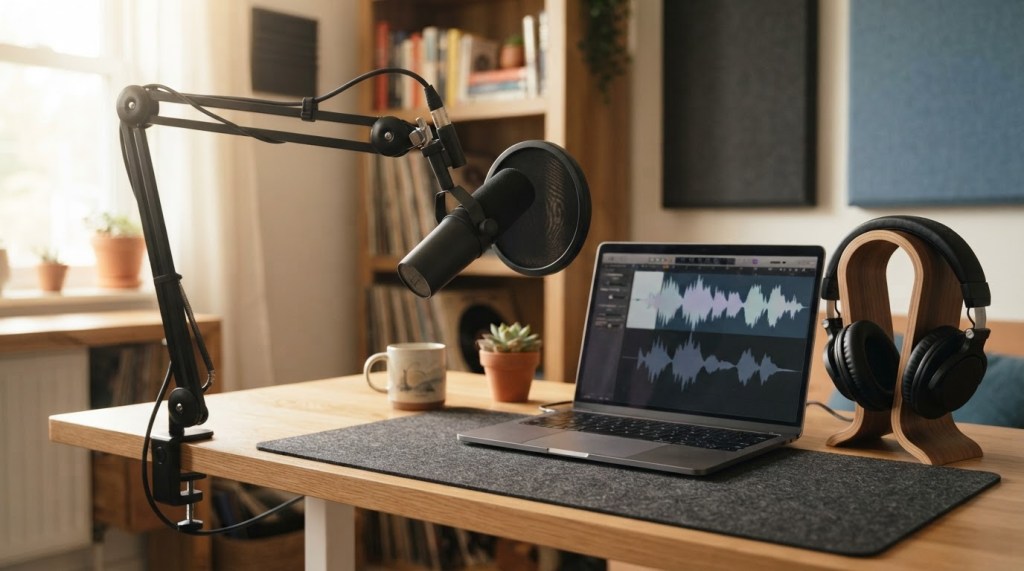
For most first-time podcasters recording alone at a computer, a USB dynamic microphone with a cardioid pickup pattern is a practical starting point. It avoids the extra audio interface required by a conventional XLR-only microphone and can be easier to manage in a typical bedroom or home office. If you plan to record several people in the same room or build an expandable studio, consider XLR or a USB/XLR hybrid instead.
Google’s November 9, 2026 Holiday 100 announcement reported a 115% rise in searches for “podcast microphone” in its 2026 shopping-trend analysis. That is a reported change in search interest, not a claim about today’s live search volume or proof that any microphone is best.
Quick answer: which podcast microphone should you buy?
| Your setup | Start by considering | Check before paying |
|---|---|---|
| One host, laptop, untreated room | Cardioid USB dynamic mic | Headphone monitoring, stand, computer compatibility |
| One host, quiet treated room, detailed vocals or instruments | USB condenser or dynamic mic | Room reflections and keyboard/fan noise |
| Two or more local hosts | Separate XLR mics and multi-input interface | One input per speaker, enough headphone outputs |
| Starting simple but upgrading later | USB/XLR hybrid mic | Whether both connections support the features you need |
USB vs XLR: what actually changes?
USB microphones: fewer pieces to buy
A USB microphone connects digitally to a compatible computer or device. Many models include built-in conversion, gain controls, and a headphone socket. That makes a one-person setup comparatively straightforward. Check the connector type, operating-system support, direct monitoring, and whether any app-dependent features work on your device. “USB” alone does not guarantee clean recordings.
XLR microphones: flexibility for multiple voices
An analog XLR microphone typically needs an audio interface, mixer, or recorder with a compatible microphone preamp. This adds cost and cables, but makes it easier to select different microphones, route several inputs, and upgrade individual components. Some condenser microphones also require phantom power; verify the exact model rather than assuming every XLR mic needs it.
Hybrid USB/XLR microphones offer both paths, but the processing, headphone monitoring, and controls available over USB may not work identically through an analog XLR output. Manufacturer documentation matters.
Dynamic vs condenser: choose for the room, not the label
Dynamic microphones are commonly used close to the mouth and can be forgiving in an imperfect room when positioned correctly. Condenser microphones can capture subtle detail, but may also reveal more room reflections, fan noise, or keyboard clicks in a noisy setup. Neither technology magically removes background noise: distance, pickup pattern, recording level, and acoustic treatment all matter.
Shure’s podcasting microphone guide explains how polar pattern and microphone type affect speech recording. RØDE’s condenser microphone explainer describes sensitivity, phantom power, and USB condenser options. Both are manufacturer sources, so use their technical explanations while comparing competing products independently.
Seven checks before buying a podcast microphone
- Recording environment: Listen for heating vents, hard-wall echo, traffic, computer fans, and keyboard noise. Try a test recording in your actual room.
- Pickup pattern: A cardioid pattern generally emphasizes sound in front and reduces pickup from other directions. It does not eliminate unwanted sound.
- Connection: Confirm USB-C, USB-A, or XLR compatibility with your computer, phone, mixer, or interface. An adapter may not provide every required function.
- Monitoring: A direct headphone output lets you hear microphone placement and plosives without a distracting software delay. Verify the specific model supports it.
- Mounting: Budget for a stable desk stand or boom arm, compatible thread or adapter, shock isolation if necessary, and a pop filter or windscreen.
- Recording multiple people: Prefer one appropriately positioned microphone per speaker when separate tracks and editing control matter. Check interface inputs and recording software.
- Total system cost: Compare the microphone plus interface, cables, headphones, mounts, shipping, and taxes. Avoid judging value by microphone sticker price alone.
Set up your microphone for a cleaner first recording
- Choose the quietest available room and soften strong reflections with curtains, rugs, or other furnishings where practical.
- Position the microphone according to its manufacturer’s recommended speaking direction and distance. Side-address and end-address microphones are not used the same way.
- Connect headphones, select the intended microphone in your recording software, and record 30 seconds of normal speech.
- Adjust input gain so normal speech is clear and louder words do not clip. Avoid relying on aggressive noise reduction to fix poor placement.
- Listen back on headphones for room echo, plosives, handling noise, and uneven volume before recording a full episode.
When a more expensive microphone is not the answer
If recordings sound distant, hollow, or noisy, moving a suitable microphone closer, reducing background noise, or improving placement can matter more than buying a premium model. Similarly, a costly XLR mic may underperform when paired with an interface that cannot provide appropriate clean gain. Consider the entire recording chain rather than a single component.
Frequently asked questions
Is a USB microphone good enough for a podcast?
Yes. A well-positioned USB microphone can produce clear spoken-word audio. The room, technique, and editing workflow remain important.
Do I need an audio interface?
Not usually for a USB microphone connected directly to a compatible device. A conventional XLR-only mic generally needs an interface, mixer, or recorder with a microphone input.
Should I buy a dynamic or condenser mic for a bedroom?
In a reflective or noisy bedroom, a close-talked cardioid dynamic mic is often a sensible first option. In a quiet, treated space, either type can work well.
Can two people share one microphone?
They can, but consistent distance and separate editing become difficult. For a regular two-host show, individual microphones are usually easier to manage.
Bottom line
Start with your room and recording workflow. For a solo beginner, prioritize a practical USB dynamic mic, reliable monitoring, and a stable mount. For multiple local speakers, compare the full cost of an XLR setup. Use manufacturer manuals to confirm connectors, power requirements, and supported devices before purchasing.
Further reading: Shure’s starter equipment checklist and RØDE’s USB vs XLR overview.

