Last updated: October 29, 2026
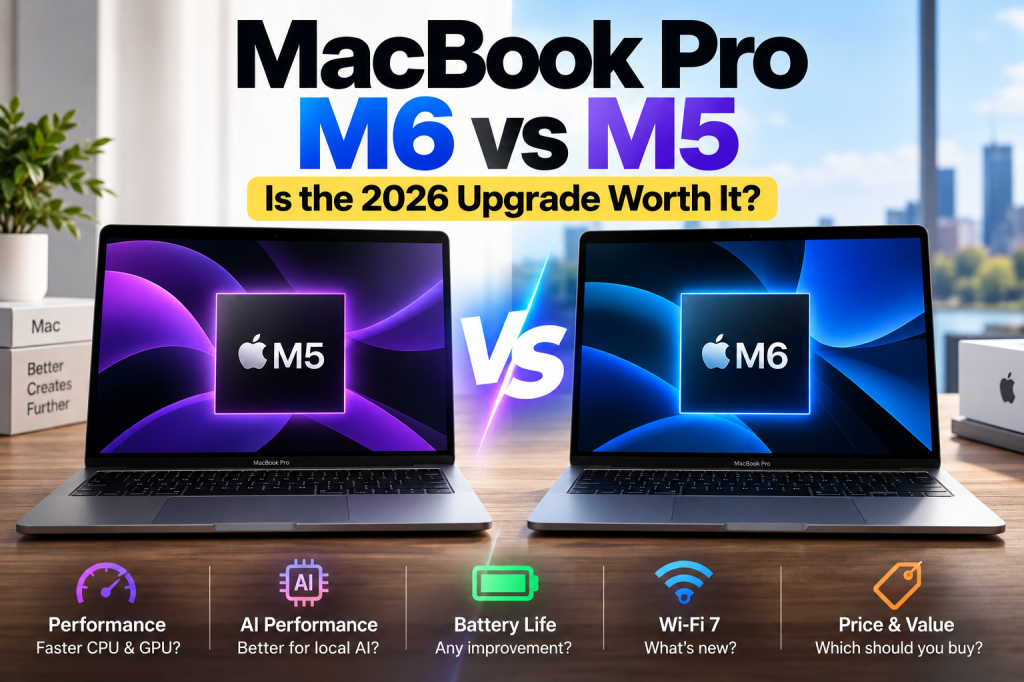
Apple has officially introduced the 14-inch MacBook Pro with the new M6 chip, promising faster graphics, improved AI performance, and upgraded wireless connectivity.
But there’s an important question for anyone considering a new MacBook: Is the M6 actually worth buying over the M5?
The answer isn’t as straightforward as choosing the newest processor.
Apple has also announced an entirely different MacBook Pro featuring a touchscreen OLED display and M5 Pro or M5 Max processors.
With several options available, choosing the right MacBook Pro could save you hundreds of dollars.
Here’s what has changed, how the models compare, and which one makes the most sense for your needs.
MacBook Pro M6 Release Date and Price
Apple announced the 14-inch M6 MacBook Pro on October 27, 2026.
Pre-orders opened on October 28, with retail availability beginning November 6, 2026.
Official starting prices are:
| Country | Starting Price |
|---|---|
| United States | $1,999 USD |
| Canada | $2,799 CAD |
| Canada Education Store | $2,659 CAD |
These prices are before applicable taxes and optional upgrades.
The entry-level model includes 16GB of unified memory and 1TB of SSD storage.
Buyers can configure the laptop with up to 32GB of unified memory.
MacBook Pro M6 vs M5: Specifications Compared
The M6 introduces several hardware improvements, although the overall laptop design remains largely unchanged.
| Feature | MacBook Pro M5 | MacBook Pro M6 |
|---|---|---|
| Processor | Apple M5 | Apple M6 |
| CPU cores | 10 | 12 |
| GPU cores | 10 | 12 |
| Neural Engine | 16-core | Dual 16-core |
| Starting memory | 16GB | 16GB |
| Maximum memory | 32GB | 32GB |
| Current base storage | 1TB | 1TB |
| Maximum memory bandwidth | 153GB/s | Up to 170GB/s |
| Wi-Fi | Wi-Fi 6E | Wi-Fi 7 |
| Bluetooth | 5.3 | 6 |
| Advertised battery life | Up to 24 hours | Up to 24 hours |
| Display | Liquid Retina XDR | Liquid Retina XDR |
| External display support | Up to 2 | Up to 2 |
Comparison covers the standard 14-inch models, not M5 Pro or M5 Max configurations. Earlier M5 models were also sold with 512GB storage. M6 memory bandwidth varies by configuration.
The biggest improvements are processing performance and wireless connectivity.
However, the M6 doesn’t bring a radically different screen, battery-life rating, or selection of ports.
For many buyers, those similarities are just as important as the differences.
How Much Faster Is the M6 Than the M5?
According to Apple’s official announcement, the M6 delivers:
- Up to 30% faster graphics performance than M5
- Up to 25% faster performance in certain AI workloads
- Up to 1.9 times faster Neural Engine performance
- Up to 1.3 times faster performance in selected Xcode compilation and Blender rendering tests
Those improvements could benefit developers, designers, video editors, and users working with computationally demanding software.
For example, a developer compiling a large application might experience shorter build times.
Someone working with complex 3D scenes could also benefit from the updated GPU.
However, Apple’s performance figures come from its own testing under specific conditions.
They don’t mean every application will run 30% faster.
As of October 29, the new M6 MacBook Pro has not yet reached its scheduled retail release date. Independent testing will provide a clearer picture of performance and thermal behavior.
What About Everyday Tasks?
If your daily activities include web browsing, Microsoft Office, email, video calls, watching videos, and occasional photo editing, the M5 is already an extremely capable processor.
In these situations, you may notice little practical difference between the two generations.
A faster processor is valuable when your existing hardware is actually limiting your work.
If your current laptop already performs comfortably, an upgrade may not provide much noticeable benefit.
Is the M6 Better for AI and Local LLMs?
One of the biggest selling points of the M6 is improved AI performance.
Apple has upgraded the Neural Engine and GPU architecture, targeting workloads involving image processing, machine learning, and local AI models.
That could make the M6 attractive to users experimenting with AI tools directly on their computers.
However, processor performance isn’t the only factor that matters when running local AI models.
Memory capacity is also critical.
For example, someone working with larger language models may benefit more from a configuration with 32GB of unified memory than from a newer processor with only 16GB.
The available memory determines whether a particular model and its working data can fit comfortably into memory.
Actual performance also depends on the AI framework, model size, quantization, and software optimization.
Which Configuration Should AI Users Consider?
For light AI experimentation and smaller models, the standard configuration may be sufficient.
For more demanding workloads, consider:
- Choosing 24GB or 32GB of unified memory
- Checking the memory requirements of your preferred models
- Confirming compatibility with your AI software
- Comparing real-world benchmarks rather than relying exclusively on advertised AI performance
The M6 is a stronger processor on paper, but that doesn’t automatically make the base configuration the best choice for every AI workload.
Battery Life: Is the M6 Better?
Apple advertises up to 24 hours of battery life for the M6 MacBook Pro.
That’s the same maximum advertised battery-life figure as the previous M5 model.
Both laptops are designed to provide all-day portability.
For students, office workers, and travelers, the battery endurance of either model should be a major advantage.
However, actual battery life depends on screen brightness, applications, background activity, and workload intensity.
Tasks such as video rendering and local AI inference can consume considerably more power than browsing or document editing.
Battery life alone isn’t a compelling reason to replace an M5 MacBook Pro with an M6.
Should You Upgrade From an M5 MacBook Pro?
For most current M5 owners, the answer is probably not.
Although the M6 offers improvements in graphics, AI processing, and connectivity, it retains many of the features that define the previous model.
Both have similar designs, high-quality displays, comparable advertised battery life, and the same maximum configurable memory capacity.
Replacing a relatively new M5 requires spending additional money for improvements that may not significantly change your everyday experience.
There are exceptions.
If your work involves demanding GPU processing or local AI workloads, and independent benchmarks demonstrate a meaningful improvement for your specific applications, upgrading might make sense.
Otherwise, keeping your M5 longer is likely the more economical decision.
Should M1, M2, or Intel MacBook Owners Upgrade?
This is where the M6 becomes more interesting.
Apple reports substantially larger performance gains compared with its older M1 generation.
The M6 also offers updated wireless connectivity, a modern camera system, and improvements in processing capability.
Owners of older Intel MacBooks may especially appreciate the efficiency and performance improvements associated with Apple silicon.
However, not every M1 or M2 owner needs to upgrade immediately.
If your current laptop still meets your needs, works with your applications, and has acceptable battery health, replacing it may not be necessary.
Before buying, consider the following:
- Is your existing MacBook noticeably slow during important tasks?
- Are you running out of memory or storage?
- Is battery life becoming a problem?
- Do you need newer external display or connectivity features?
- Will the upgrade save enough time or improve your experience enough to justify its cost?
If several answers are yes, the M6 becomes a stronger option.
What About Apple’s New Touchscreen OLED MacBook Pro?
There’s an important development buyers shouldn’t overlook.
On October 28, 2026, one day after announcing the M6 MacBook Pro, Apple unveiled another MacBook Pro lineup featuring its new PROLED XDR display.
Unlike the standard M6 model, these laptops introduce touchscreen functionality and a tandem OLED display.
They also use M5 Pro and M5 Max processors, not the standard M6 chip.
That makes them a distinct product option rather than simply a more expensive version of the M6.
How Much Does the OLED MacBook Pro Cost?
| Model | US Starting Price | Canada Starting Price |
|---|---|---|
| 14-inch MacBook Pro M6 | $1,999 | $2,799 |
| 14-inch PROLED XDR, M5 Pro | $2,899 | $3,999 |
| 16-inch PROLED XDR, M5 Pro | $3,399 | $4,799 |
All prices are in local currency and exclude applicable taxes.
The OLED models add features such as touchscreen input, a redesigned display system, and more professional connectivity.
However, they also command a significantly higher starting price.
Which One Should You Choose?
The standard M6 MacBook Pro is likely the more sensible option for buyers who want a premium laptop without paying for specialized professional features.
The PROLED XDR models are more appealing for users who specifically need high-end display technology, touchscreen functionality, or the additional capabilities of the Pro and Max processors.
Keep in mind that processor generation alone doesn’t determine performance.
An M5 Pro can be better suited to certain demanding workloads than a standard M6 because the chips target different performance tiers.
Compare the actual applications you plan to use before making that decision.
Should You Buy a Discounted M5 Instead?
Possibly.
Because the M6 is replacing the standard M5 MacBook Pro, remaining M5 inventory and refurbished devices may become attractive alternatives.
The key is comparing equivalent configurations.
A discounted M5 with 24GB or 32GB of memory could be more useful for some workloads than an M6 with 16GB.
Similarly, an M5 with enough storage for your needs could offer excellent value if the discount is substantial.
Before buying, compare:
- Total price after taxes
- RAM and storage capacity
- Warranty coverage
- New versus refurbished condition
- Battery condition for used devices
- Return policy
- The performance requirements of your software
Apple’s refurbished store and authorized retailers are worth checking, but inventory and prices can change.
Don’t assume an older model is automatically a better deal simply because it’s discounted.
MacBook Pro M6 vs M5: Which Should You Buy?
Here’s a practical summary.
| Your Situation | Best Option |
|---|---|
| You already own an M5 | Keep the M5 |
| You’re upgrading from Intel | Consider M6 |
| You’re upgrading from M1 | M6 if performance is limiting you |
| You’re choosing M5 or M6 at the same price | M6 |
| You find an M5 at a significant discount | Consider M5 |
| You need more RAM for local AI | Prioritize memory configuration |
| You need a touchscreen OLED display | Consider PROLED XDR |
| You mainly browse, email, and use documents | Consider whether a MacBook Air meets your needs |
The newest model isn’t automatically the best value for everyone.
Frequently Asked Questions
When will the M6 MacBook Pro be available?
Apple says the 14-inch M6 MacBook Pro will become available on November 6, 2026. Pre-orders opened October 28.
How much does the M6 MacBook Pro cost?
The standard model starts at $1,999 USD in the United States and $2,799 CAD in Canada, before taxes and optional upgrades.
Is the M6 faster than the M5?
Yes. Apple reports improved CPU, GPU, and AI performance. The actual difference depends on the application and workload.
Does the M6 MacBook Pro have a touchscreen?
No. The standard 14-inch M6 model retains a Liquid Retina XDR display without touchscreen functionality. Apple’s separate PROLED XDR MacBook Pro models introduce touch support.
Is the M6 better for students?
It can be an excellent laptop for students, particularly those studying software development, design, or other demanding subjects. However, students with lighter workloads should also compare MacBook Air options before spending more on a Pro model.
Is the M6 worth buying for AI?
Potentially, especially for workloads that benefit from improved GPU or Neural Engine performance. But memory capacity, software support, and model size are also important considerations.
Final Verdict: Is the MacBook Pro M6 Worth It?
The M6 MacBook Pro is a meaningful performance upgrade, particularly for graphics and supported AI workloads.
But it isn’t a dramatic redesign of the standard 14-inch MacBook Pro.
For current M5 owners, keeping the existing laptop is likely the smarter financial decision.
For Intel or older Apple silicon users who need better performance, the M6 offers a compelling upgrade.
And for buyers considering their first MacBook Pro, the best approach is simple:
Compare total price, memory, storage, and your actual workload before choosing the newest chip.
If the M5 and M6 cost roughly the same, choose the M6.
If you find a well-configured M5 at a substantial discount, it may be the better value.
And if you specifically need a touchscreen OLED display or more professional processing capability, take a closer look at Apple’s new PROLED XDR lineup.
Sources and References
- Apple Newsroom — Introducing the 14-inch MacBook Pro with M6 — October 27, 2026.
- Apple Canada — M6 MacBook Pro Announcement — October 27, 2026.
- Apple Newsroom — MacBook Pro with PROLED XDR Display — October 28, 2026.
- Apple Canada — PROLED XDR MacBook Pro Announcement — October 28, 2026.
- MacRumors — M5 vs M6 MacBook Pro Buyer’s Guide — October 27, 2026.
Editorial note: Performance comparisons attributed to Apple represent manufacturer testing. Independent benchmarks, real-world battery testing, and retailer discounts may change the value assessment after the November 6 release.

