Last Updated: October 29, 2026
Rogers customers in Canada will soon have to pay extra if they use a credit card to pay their monthly phone, internet, or other eligible Rogers bills.
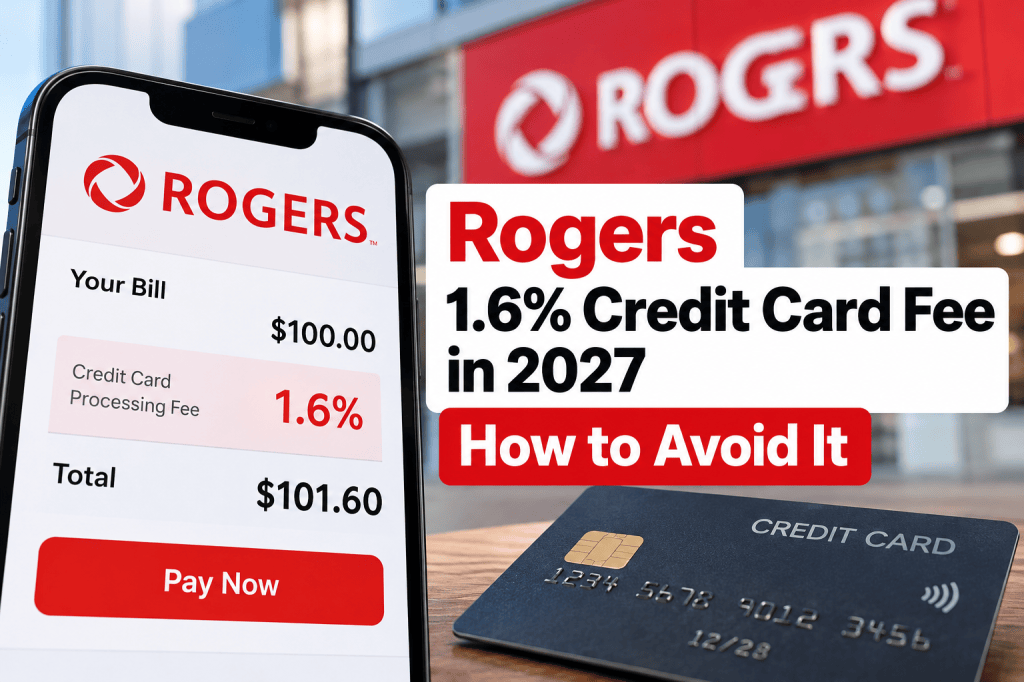
Starting January 17, 2027, Rogers will introduce a 1.6% credit card processing fee on eligible credit card payments, including automatic payments and one-time transactions.
While 1.6% might not sound like much, it can add up over a year, especially for households with multiple Rogers services.
The good news? You can avoid the fee simply by choosing a different payment method.
Here’s everything you need to know about the new Rogers credit card fee, who is exempt, and how to avoid unnecessary charges without accidentally losing your Auto-Pay Discount.
When Does the Rogers 1.6% Credit Card Fee Start?
According to Rogers’ official announcement, the new processing charge takes effect on January 17, 2027.
The fee applies whenever an eligible Rogers customer pays their bill with a credit card.
This includes:
- Automatic monthly credit card payments
- One-time credit card payments through Rogers
- Eligible credit card payments made toward Rogers service bills
Rogers says the charge reflects the processing fees it pays to credit card companies.
Importantly, this is a payment processing charge, not an increase to the advertised monthly price of your service plan.
Customers who use an eligible alternative payment method can avoid it.
How Much Will the Rogers Credit Card Fee Cost You?
The processing charge is calculated as 1.6% of the amount paid by credit card.
Here’s how much it could cost based on different monthly Rogers bills:
| Monthly Rogers Bill | Monthly Fee (1.6%) | Annual Fee |
|---|---|---|
| $50 | $0.80 | $9.60 |
| $75 | $1.20 | $14.40 |
| $100 | $1.60 | $19.20 |
| $150 | $2.40 | $28.80 |
| $200 | $3.20 | $38.40 |
| $250 | $4.00 | $48.00 |
Calculations assume 12 equal monthly payments and exclude any additional applicable taxes on processing charges.
For example, a household paying $200 per month for Rogers services could pay approximately $38.40 more each year before any applicable taxes.
That might not be a huge amount individually, but it’s an avoidable expense.
If you’re already looking for ways to reduce your monthly bills, changing your Rogers payment method is an easy place to start.
How to Avoid the Rogers 1.6% Credit Card Fee
Rogers has confirmed that several alternative payment methods are exempt from the processing charge.
These include:
- Pre-authorized debit: Automatic payments directly from your bank account.
- Online banking: Pay Rogers through your bank’s bill payment service.
- Visa Debit: Use an eligible Visa Debit card instead of a credit card.
- Debit Mastercard: Pay with an eligible Mastercard debit card.
- Prepaid cards: Rogers lists prepaid cards among the exempt payment methods.
- Rogers gift cards: Eligible gift card payments are exempt.
- Cheques: Traditional cheque payments are also exempt.
For customers who prefer paying their bills automatically, switching to pre-authorized debit from a chequing account may be the most convenient solution.
However, there’s one important detail to consider before switching: your existing Rogers Auto-Pay Discount.
Important: Don’t Accidentally Lose Your Rogers Auto-Pay Discount
Rogers also has an Automatic Payments Discount for eligible customers.
Under its updated policy, effective September 15, 2026, eligible services generally need to be paid using one of the following methods to receive the discount:
- Pre-authorized debit from a bank account
- An eligible Rogers Bank credit card
This creates an important distinction.
A payment method that avoids the 1.6% processing charge does not automatically qualify for the Auto-Pay Discount.
For example, paying through your bank’s online bill payment service avoids the processing fee, but that doesn’t necessarily mean you’ll receive the automatic payment discount.
Likewise, although Rogers Bank credit cards can qualify for the Auto-Pay Discount, Rogers’ general processing-fee guidance does not explicitly identify those credit cards as exempt from the new 1.6% fee.
Customers using a Rogers Bank credit card should confirm the applicable processing charge and card benefits directly with Rogers before making a decision.
Which Payment Method Makes the Most Sense?
| Payment Method | Avoids 1.6% Fee? | Auto-Pay Discount Eligibility |
|---|---|---|
| Pre-authorized bank debit | Yes | Yes, on eligible plans |
| Online banking bill payment | Yes | Not a qualifying automatic payment method |
| Regular credit card | No, unless exempt | Generally no |
| Rogers Bank credit card | Exemption not confirmed | Yes, on eligible plans |
| Visa Debit | Yes | Not automatically guaranteed |
| Debit Mastercard | Yes | Not automatically guaranteed |
| Cheque | Yes | No automatic payment discount |
For many customers, pre-authorized debit from a chequing account is the simplest way to avoid the processing fee while remaining eligible for the Auto-Pay Discount.
Your specific plan must still qualify for the discount.
How to Change Your Rogers Payment Method
If you’re currently paying your Rogers bill with a credit card, you can switch to pre-authorized bank debit through MyRogers.
Option 1: Change Your Payment Method Online
- Visit Rogers and sign in to your MyRogers account.
- Select Billing & payment.
- Choose Change payment method.
- Select Payment method.
- Choose Use bank account for automatic payments.
- Enter your banking information.
- Review the details and accept the terms and conditions.
- Submit your changes.
You’ll generally need your bank’s institution number, transit number, and account number.
These details can usually be found in your online banking app or on a void cheque.
Option 2: Use the MyRogers App
You can also make the change using the MyRogers mobile app.
- Open the MyRogers app and sign in.
- Select Manage automatic payments.
- Choose Pay with chequing account.
- Enter your banking information.
- Accept the terms and select Authorize.
Important: Allow Time for the Change to Take Effect
Rogers says the first automatic payment can take up to one full billing cycle to begin.
If you’re updating an existing payment method, Rogers recommends making changes at least 48 hours before your scheduled withdrawal date.
If you have an outstanding balance, check whether a separate payment is necessary to prevent late fees.
You can find the official instructions on Rogers’ automatic payments support page.
Who Is Exempt From the Rogers Credit Card Processing Fee?
Not every Rogers customer will have to pay the new fee.
According to Rogers, exemptions include:
Quebec Customers
Customers in Quebec are not subject to the new 1.6% processing charge.
Connected for Success Customers
Customers enrolled in select specialized programs, including Connected for Success, are exempt.
Certain Former Shaw Mobile Customers
Some former Shaw Mobile customers whose plans were migrated to Rogers are also exempt.
Certain Business Accounts
Rogers has published separate rules for business customers.
Its Small Business processing-fee information identifies eligible nine-digit accounts as subject to the charge, while listing exclusions for certain other account categories.
Business customers should review the specific terms applying to their account rather than assuming that the residential rules apply.
If you’re unsure whether your plan qualifies for an exemption, check with Rogers directly.
Is It Worth Continuing to Pay Rogers With a Credit Card?
Some customers prefer using credit cards because they earn cash back, reward points, or other card benefits.
The new 1.6% processing fee makes it important to compare those benefits with the additional cost.
For example, on a $100 payment:
- A card earning 1% cash back would provide $1 in rewards.
- The Rogers processing fee would be $1.60 before any applicable tax.
- The customer would effectively lose $0.60 before taxes, assuming the rewards apply to the full payment.
A card earning 2% cash back could generate $2 in rewards on the same payment.
That would leave $0.40 in rewards after the $1.60 fee, before any applicable tax.
However, rewards eligibility, redemption rules, and the treatment of processing fees may differ between credit card providers.
Also, you shouldn’t assume a higher rewards rate automatically makes credit card payments the better choice.
For eligible customers, the value of the Rogers Auto-Pay Discount may be more significant than a small amount of credit card rewards.
The best option depends on your actual billing amount, card benefits, and eligibility for discounts.
Frequently Asked Questions
Does the Rogers 1.6% credit card fee apply to automatic payments?
Yes. Rogers confirms that the processing charge applies to eligible credit card payments whether they are automatic or one-time transactions.
Does the fee apply to Rogers internet and mobile customers?
Rogers’ residential policy concerns eligible Rogers bill payments rather than a single service type. Customers should review their account-specific terms and exemptions.
Are Quebec customers exempt?
Yes. Rogers explicitly states that Quebec customers are not subject to the processing charge.
Can I avoid the fee by paying through online banking?
Yes. Rogers lists online banking bill payments among the payment methods exempt from the charge.
However, making an online banking bill payment does not automatically qualify you for the Rogers Auto-Pay Discount.
Will a Rogers Mastercard avoid the fee?
Rogers Bank credit cards can qualify for the Auto-Pay Discount on eligible plans, but the general processing-fee guidance does not explicitly confirm a processing-fee exemption for those cards.
Check the current terms directly with Rogers before relying on an exemption.
Can I change my payment method before January 17, 2027?
Yes. Rogers provides online and mobile app options to update your payment method.
Changing it early can help avoid last-minute issues with payment processing.
Final Thoughts: A Small Change Could Save You Money
Rogers’ new 1.6% credit card processing fee begins January 17, 2027, for eligible customers.
Although the fee may seem small, there’s little reason to pay an avoidable charge if a suitable alternative payment method is available.
For most eligible customers who want to keep automatic bill payments, switching to pre-authorized debit from a bank account is a practical option.
Before switching, review your existing Auto-Pay Discount and compare any credit card rewards you might lose.
A few minutes spent checking your payment settings today could help reduce unnecessary charges throughout 2027.
Official Sources
- Rogers — Understanding the Credit Card Processing Charge
- Rogers — Set Up Automatic Payments and Get the Auto-Pay Discount
- Rogers Business — Understanding the Credit Card Processing Charge
Disclaimer: This article is for general informational purposes and reflects Rogers’ published policies as reviewed on October 29, 2026. Payment terms, exclusions, discounts, and applicable taxes may change. Always confirm details with Rogers before updating your account.

