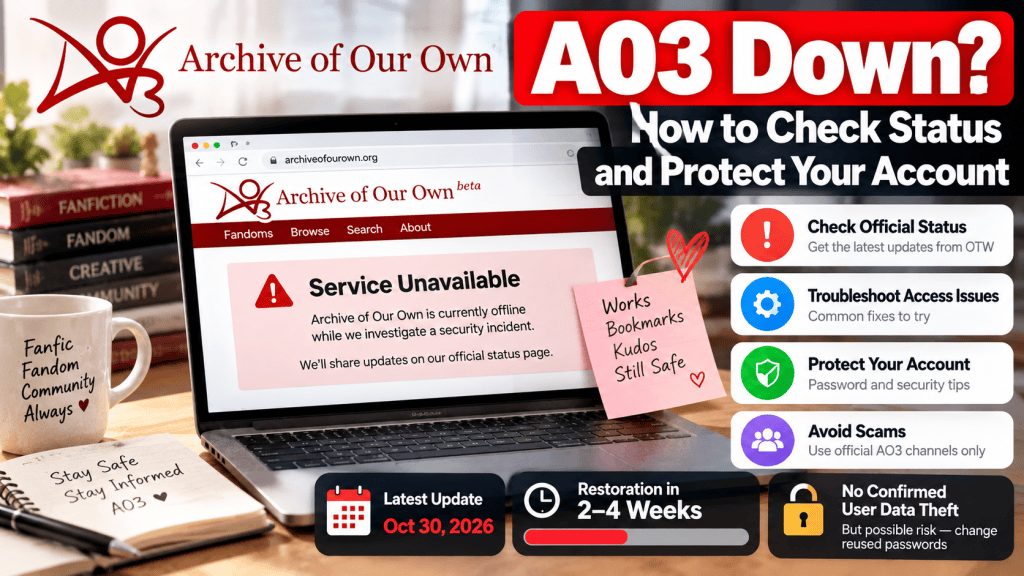
Last updated: October 30, 2026
Is Archive of Our Own (AO3) not loading? Are you seeing an error message, a blank page, or an unexpected maintenance notice?
Before clearing your browser, resetting your password, or trying another website, there’s one important thing you should check: whether AO3 is experiencing an official service outage.
AO3 has its own status page, where its operators publish information about technical problems, maintenance, and service disruptions.
And if an outage involves a security concern, there are additional precautions worth taking.
This guide explains how to check AO3’s official status, troubleshoot common access issues, protect your account, and find reliable updates.
Is AO3 Down Right Now? October 30, 2026 Update
Yes. As of the latest official announcement reviewed on October 30, 2026, AO3 is experiencing a major outage.
The Organization for Transformative Works (OTW), the nonprofit organization operating AO3, announced that it had detected evidence of a security incident.
The organization has taken the archive offline while it investigates and addresses the issue.
According to the October 30 announcement:
- AO3 remains offline while the investigation continues.
- No works, bookmarks, kudos, or other AO3 data have been deleted.
- The organization has not confirmed theft of its user database, but cannot yet rule it out.
- Restoration is expected to take at least two weeks and could take up to four weeks.
- Limited or read-only access might become available before full restoration.
Important: These details reflect the announcement published October 30, 2026. The website’s actual status may change. Always check the official status page for newer updates.
Read the October 30 official AO3 announcement.
How to Check AO3’s Official Server Status
The most reliable place to check whether Archive of Our Own is experiencing technical problems is the official OTW status page.
Official AO3 Status: otwstatus.org
The page lists service information for AO3 and other OTW projects.
It may display statuses such as operational, degraded performance, partial outage, or major outage.
Step 1: Open the Status Page
Visit www.otwstatus.org directly.
Look for the section labeled Archive of Our Own.
Step 2: Review the Current Incident
If an outage is underway, the status page may provide an explanation and updates from the team.
Read the latest update rather than relying on an older social media post.
Step 3: Check the Incident History
The status website also provides historical information about service disruptions.
This can help determine whether the problem is new or part of a previously announced issue.
Step 4: Subscribe to Updates
The OTW status website supports RSS and Atom feeds.
You can use a compatible feed reader to follow incident announcements without checking the website repeatedly.
You can also follow AO3’s official status accounts for updates.
AO3 Official Status Links
Use these sources before relying on unofficial outage reports.
| Source | What It’s Useful For |
|---|---|
| OTW Status | Current AO3 service availability and incident updates |
| OTW News | Detailed announcements and security-related updates |
| AO3 Status on Bluesky | Service announcements and status posts |
| AO3 Status on X | Official status updates |
| AO3 on Tumblr | Announcements and community updates |
During an extended outage, the official status page should be your primary reference.
Why Is AO3 Not Working?
AO3 can become inaccessible for several different reasons.
Understanding the difference can help you avoid wasting time troubleshooting something outside your control.
1. Scheduled Maintenance
AO3 sometimes goes offline for planned updates or maintenance.
These interruptions may involve software upgrades, database work, or changes to its infrastructure.
If maintenance is scheduled, announcements may appear on the status page or official social media channels.
2. Unexpected Technical Problems
Server issues, database problems, and other technical failures can prevent the archive from loading properly.
In these cases, the problem may affect users across multiple countries.
Restarting your device usually won’t fix a server-side outage.
3. Security-Related Shutdowns
A website operator may temporarily disable access when investigating a security concern.
This is the situation described in OTW’s October 30, 2026 announcement.
During a security-related interruption, attempting to bypass the shutdown through an unfamiliar website is not a safe solution.
4. Browser or Connection Problems
Sometimes AO3 is operational, but a particular user still cannot access it.
Possible causes include:
- Browser extensions interfering with page loading
- Cached website data
- Network or DNS problems
- Browser compatibility issues
- Local filtering or network restrictions
- Temporary problems with a user’s internet connection
The next section explains how to distinguish local issues from broader service disruptions.
How to Fix AO3 Not Loading
If the official status page indicates that AO3 is operational but the website still doesn’t work for you, try these steps.
Step 1: Test Another Website
Open a few reliable websites.
If nothing loads, your internet connection may be the issue.
If other websites work normally, continue to the next step.
Step 2: Try Another Browser
Open AO3 in a different, updated browser.
For example, if you normally use Chrome, try Firefox, Edge, or Safari.
If AO3 works in one browser but not another, the problem may involve browser-specific settings or extensions.
Step 3: Use a Private Browsing Window
Try loading AO3 in an incognito or private browsing window.
This may help determine whether stored browser data or enabled extensions are interfering with access.
Remember that private browsing doesn’t make your activity anonymous to websites or internet providers.
Step 4: Check Browser Extensions
Temporarily disable extensions that might affect page loading.
Privacy tools, content blockers, and custom scripts can occasionally interfere with website functionality.
Re-enable extensions after testing so you don’t accidentally leave useful protections disabled.
Step 5: Clear Relevant Browser Data
If the site remains inaccessible, consider clearing AO3-related cached files and cookies.
Keep in mind that deleting cookies can sign you out of your account.
You may need to log in again when the site becomes available.
Step 6: Try Another Connection
If possible, compare Wi-Fi with mobile data.
A difference between networks can help identify whether the problem is related to your current connection.
However, don’t interpret a successful connection through another network as permission to bypass security or access restrictions.
Step 7: Report a Persistent Problem
If AO3 is officially operational and the issue continues across browsers and networks, use the site’s official Support and Feedback process when available.
Include the error message, browser name, device type, and steps you’ve already tried.
If AO3 is officially down for everyone, stop troubleshooting and follow the operator’s restoration updates instead.
Is Your AO3 Account Safe After the October 2026 Incident?
As of October 30, OTW has confirmed evidence of a security incident but has not established that its user database was stolen.
The organization says its database may contain:
- Account usernames
- Email addresses
- IP addresses
- Hashed passwords
Hashed passwords are not stored as ordinary readable password text.
However, hashing does not eliminate every possible risk, especially when passwords are weak or reused.
OTW has advised users to change passwords on other websites where they used the same password as on AO3.
What Has OTW Confirmed About Stored Works?
According to its October 30 announcement, no AO3 data have been deleted.
The organization specifically addressed concerns about saved works, bookmarks, and kudos.
That is reassuring for readers and writers worried about losing their content.
However, confirmation that content has not been deleted is not the same as confirmation that every aspect of account security has been fully investigated.
Users should follow future announcements for any additional findings.
Was Donor Information Exposed?
OTW says AO3 donor information is maintained in a separate system and is not linked to AO3.
Its October 30 announcement states that donor information was not exposed in this incident.
The organization also explains that AO3 does not collect users’ real names as account information.
What Should You Do If You Reused Your AO3 Password?
If you use the same password for AO3 and another website, prioritize securing those other accounts.
1. Change Reused Passwords
Start with sensitive accounts such as your primary email.
Then update other websites where you reused the same password.
Make sure every account has a different password.
2. Use a Password Manager
A reputable password manager can help create and store strong, unique passwords.
This makes it easier to avoid reusing credentials.
3. Check Your Email Account
Review your email account’s recent security activity and recovery options.
Your email account is especially important because password-reset links for other services often arrive there.
Enable multifactor authentication if your email provider supports it.
4. Monitor Official Security Announcements
OTW’s investigation may provide new information about affected systems or recommended actions.
Check the official news and status pages rather than relying on speculation.
5. Update Your AO3 Password When Secure Access Returns
Once official AO3 login functionality is safely restored, consider updating your AO3 password through the legitimate website.
Do not enter your current password into unofficial recovery portals.
Warning: Avoid Fake AO3 Login and Recovery Websites
Outages sometimes lead users to search for alternative websites that claim to restore access.
Be careful.
AO3 officially recognizes several website addresses, but there are also unofficial proxy websites that can display its content.
The official AO3 FAQ warns that proxy operators may be able to see information submitted through their sites, including passwords.
For most users, the safest approach is to visit the familiar official website, archiveofourown.org, rather than experimenting with third-party login mirrors.
Avoid websites that:
- Promise exclusive access during an outage
- Ask you to pay to restore your AO3 account
- Request your existing password through an unfamiliar form
- Claim to provide an unofficial emergency account recovery service
- Direct you to suspicious downloads or browser extensions
AO3 is a nonprofit archive, and its normal account registration is free.
A website demanding payment to restore your account should be treated with suspicion.
Can You Read AO3 Stories While the Website Is Down?
If the official archive is unavailable, you generally cannot rely on its normal online reading features.
However, you may still be able to read previously downloaded copies of works stored on your own device.
For example, if you previously downloaded a work in EPUB or PDF format, the local file may remain accessible through a compatible reader.
This does not mean you should use an unofficial proxy or enter your credentials into another website.
If you didn’t download a work before the outage, you may need to wait until the official site restores access.
Once AO3 becomes operational again, its supported download features can help you save permitted personal reading copies for future offline use.
Respect applicable creator preferences, platform rules, and copyright requirements.
What If Your AO3 Account Was Hacked?
If you believe someone accessed your AO3 account without permission, use the official Policy and Abuse reporting process when it becomes available.
AO3 distinguishes account compromise reports from ordinary technical support requests.
Potential warning signs include unexpected account changes, unfamiliar content modifications, or security notifications that you did not initiate.
If your account email or password was changed unexpectedly, preserve the notification and relevant details.
AO3’s May 2026 account-security announcement explains that the site introduced several protections, including notification emails for certain account changes.
Don’t respond to a suspicious message by sending your password.
Instead, contact the appropriate official support channel.
Frequently Asked Questions
Is AO3 down for everyone?
If the OTW status page reports a major outage, it indicates a broader service disruption. If it reports normal operation, the issue may be specific to your device or network.
Why is AO3 down in October 2026?
According to OTW’s October 30 announcement, the organization detected evidence of a security incident and is investigating its scope.
When will AO3 come back online?
As of October 30, OTW estimates that restoration will take at least two weeks and possibly up to four weeks. This is an estimate, not a guaranteed restoration date.
Did AO3 delete fanfiction works or bookmarks?
OTW says no AO3 data have been deleted and that works, bookmarks, and kudos remain safe.
Was the AO3 user database stolen?
As of October 30, OTW has not confirmed that the user database was stolen. It says the possibility cannot yet be ruled out.
Should I change my AO3 password?
OTW recommends changing passwords on other sites if you reused your AO3 password there. Once secure AO3 account access is restored, you can also review your AO3 credentials.
Is AO3 shutting down permanently?
The October 30 announcement describes a temporary shutdown for investigation and recovery. It does not announce a permanent closure.
Is AO3 free to use?
Yes. Archive of Our Own is a nonprofit, noncommercial fanwork archive. Its normal account registration is free.
Final Thoughts: Check Official Updates and Protect Your Login
If AO3 isn’t working, start with the official OTW status page.
When an outage is confirmed, there is little benefit to repeatedly resetting your browser or searching for unofficial workarounds.
If AO3 is operational but inaccessible on your device, browser and connection troubleshooting may help.
And whenever the operator reports a possible security incident, review your password habits and avoid entering account credentials into unfamiliar websites.
For the October 2026 incident, the most important steps are to follow OTW’s announcements and replace passwords reused across other services.
Official AO3 Status: https://www.otwstatus.org/
Official Sources and References
- Organization for Transformative Works — Update on AO3 Downtime, October 30, 2026
- OTW — Official Server Status and Incident History
- AO3 — World Password Day: Keeping Your Account Secure
- AO3 — Accessing Fanworks FAQ
- AO3 — Known Issues
- AO3 — Support and Feedback
- OTW — Archive of Our Own Project Overview
Editorial note: The October 2026 incident details are time-sensitive and reflect official information available on October 30, 2026. Restoration estimates and security findings may change. This article is an independent informational guide and is not affiliated with AO3 or OTW.

